If you have a WordPress Site you are probably still logging in as admin. That is fine, but if you want posts to show up with a particular author you will need to create a new user on your WordPress site. There are a few key benefits of having a user other than admin.
Benefits of Creating A New User on Your WordPress Site
- Post & Pages show up as created by your name
- You can set up Google Authorship
- You can set up a site email (yourname@websitename.com)
- You can upload your own picture
How To Add A New User on Your WordPress Site
- Login to your WordPress site with your normal email.
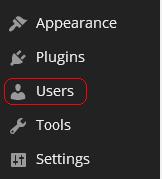
- On the sidebar (left side) Click on Users
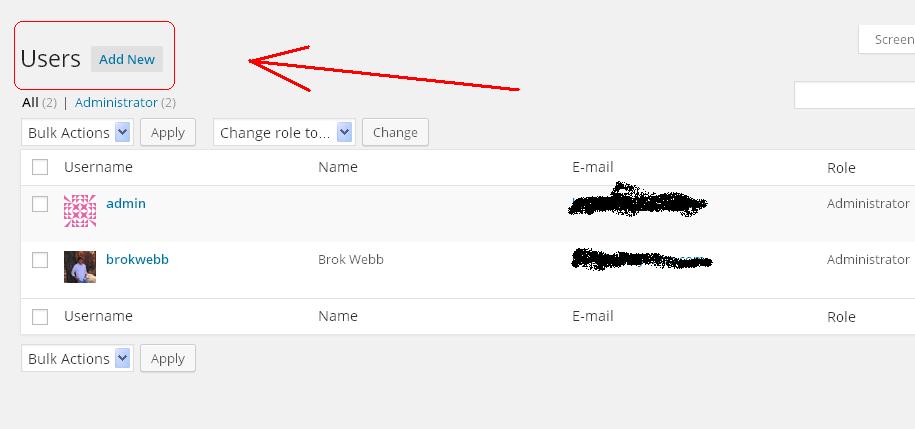
- At the top left of the page click on “Add New”
4. Fill in the required information Username, Email, First Name, Last Name, Website, Password.
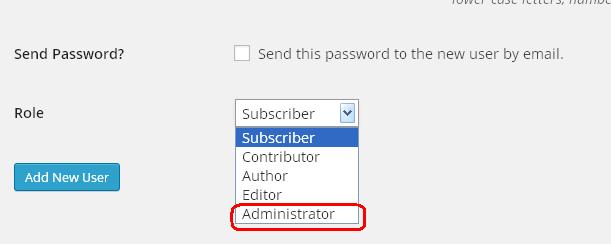
5. Choose your role. I would suggest Administrator. This will give you all the functions you can do under your admin login. Press Add New User
6. You will then be redirected to the user page. Under each username there will be an edit button. Click on the edit button
7. After clicking on the edit button. You will see this is where you can make changes to your user, add social network links, write a bio, and change your user theme colors.
There you have it, that is how you create a new user on a WordPress Site. I would strongly recommend adding all your social network pages to the user edit page and writing a short bio. I would also recommenced adding a personal picture and setting up Google Authorship.
Learn How To Add A Personal Picture To Your WordPress User
Learn How To Set Up Google Authorship
1 thought on “How To Create A New User On A WordPress Site”